 kitloom
Douyin Shop · Outfit Transition Video · Platform guides
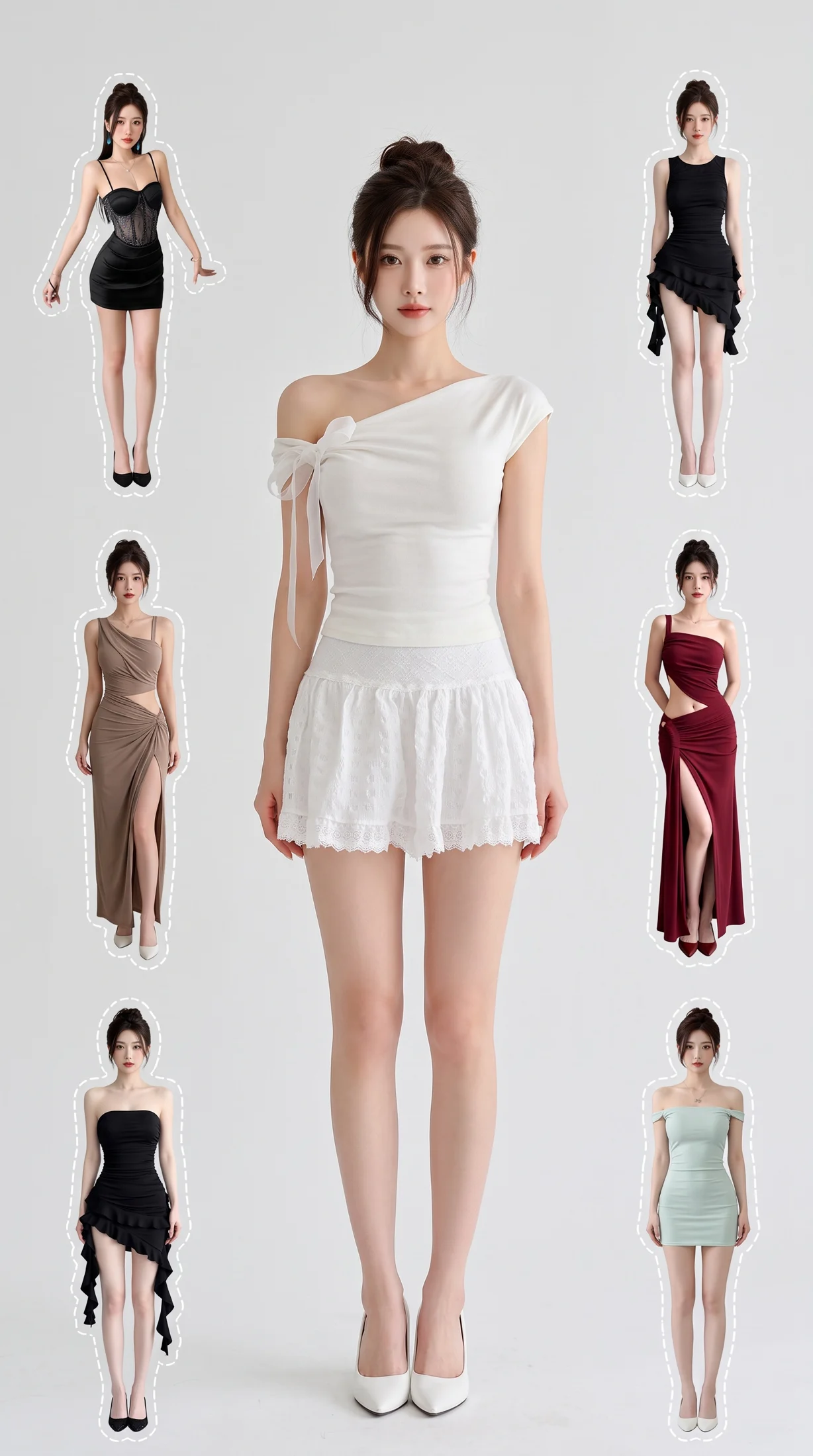
Create a coordinated outfit collage, then optionally animate it into a beat-matched outfit video. Upload 4–7 complete looks or let AI plan five.
Choose the placement
For Douyin Shop, decide whether this asset supports a product card, a short-video opening or a livestream cover before planning. Keep the featured SKU recognizable when controls cover the lower screen.
For Douyin Shop or TikTok Shop, plan a product-led opening and leave space for captions and interface overlays. A static scene is preparation material, not a livestream; a storyboard is not a finished video.
Prepare your materials
Upload 4–7 outfits, including the initial look. Each needs 1–3 photos. No missing outfits will be filled in automatically.
Generate the collage first. Video is optional and billed separately per second.
Outfit Transition Video · Guides ↗What you’ll receive
Outfit collage
Review the result · Before publishing
Compare the result with your source materials: product shape, colors, labels, quantities and text. Download selected files, adjust the crop for the actual placement and preview on a phone. Kitloom does not publish to the platform. These are creative recommendations, not a guarantee of platform approval; check the current requirements in your account.