 kitloom
Pinterest · Interactive Explainer · Platform guides
Turn an idea into a crafted interactive isometric machine. Explore its controls and readouts, and download an offline HTML figure plus a PNG.
Choose the placement
For Pinterest, make each saved image understandable on its own. Use a clear subject and a descriptive Pin title, and link to the relevant full project rather than an unrelated destination.
Prepare your materials
Explain one core mechanism. Review the apparatus, controls and illustrative assumptions before generation. Complex concepts are simplified in the plan.
One interactive HTML figure and one PNG preview, delivered together.
Interactive Explainer · Guides ↗What you’ll receive
Interactive figure
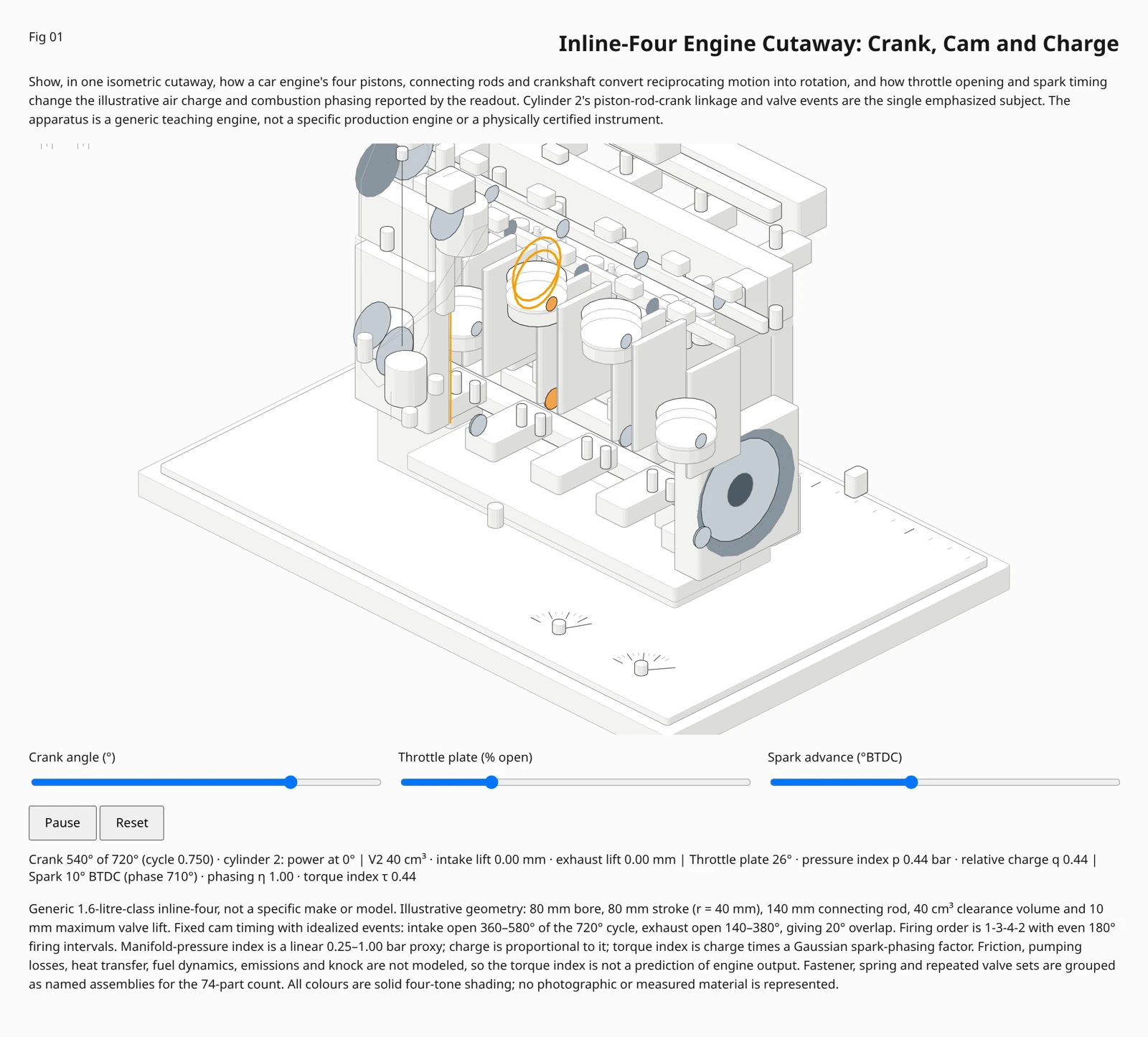
Review the result · Before publishing
Review identity, text and the actual placement crop. Check thumbnail readability and mobile overlays. Download the appropriate image or video and publish through your own account; Kitloom does not publish it for you. Check current requirements before posting.
Share the exported PNG on the platform. To retain controls, host and link the interactive HTML separately; an uploaded image does not preserve interaction.